Technology
How to Choose and Pack a Tech Pouch Without Carrying Unnecessary Cables
At a Glance
| Decision point | Useful choice | Trade-off to consider |
|---|---|---|
| Contents | Accessories supporting verified daily tasks | A complete collection of uncertain spares |
| Layout | Compartments sized for actual equipment | Pocket count without a fit check |
| Reliability | Tested personal connection routine and short inventory | Assumed function based on connector shape |
Build the kit around your actual devices
A tech pouch should reduce forgotten accessories and time spent searching. It does not need to hold every cable you own. Start with the devices used during a normal workday or representative trip, then list the connections needed to charge, transfer data, or connect a display. Keep this list specific. “Laptop accessories” is too vague to guide a purchase; “the cable and adapter used with this laptop and this monitor” is a practical requirement you can verify.
Separate everyday essentials from occasional spares. An accessory that solved a problem once may not belong in a pouch carried daily. Conversely, a small adapter used on every meeting-room visit deserves an obvious place. The aim is a reliable kit with a clear purpose, not a portable drawer of uncertain cables. Once the required accessories are laid out, you can choose the pouch's dimensions and organization around them.
Do not treat connector shape as a specification
Two cables can look similar while supporting different functions. A connector that fits does not by itself establish charging capability, data performance, or display compatibility. Check the exact device, charger, cable, and adapter documentation for the use you need. This is especially important when replacing an existing accessory with a more compact one. A visually tidy kit is not an improvement if it no longer supports the task you carry it to perform.
For USB-C equipment, consult the relevant product documentation and, where useful, the USB-IF's explanations of the underlying standards. Avoid turning a general standard's maximum capability into a claim about every product with the same connector. Your buying decision concerns the specific combination in front of you. If a listing is unclear, ask the maker or choose a product whose capabilities are documented rather than relying on a photograph or an unexplained marketing phrase.
Test the complete combination before packing
Before a trip, connect each device using only the accessories intended for the pouch. Charge the actual equipment and test the display or peripheral connection you expect to use, following the manufacturers' instructions. This rehearsal can reveal a missing adapter, an unsuitable cable, or a connection that depends on an accessory usually left on your desk. It is easier to resolve those problems at home than while preparing for a meeting.
Do not interpret a brief successful connection as proof of every advertised performance claim. The useful purpose of the rehearsal is confirming that your planned routine works. Keep notes identifying the accessory used for each task. If a cable has a special role, label it in a way you can recognize later. A small clear inventory makes the kit easier to check and prevents similar-looking items from being substituted without thought.
Choose size after arranging the contents
Lay out the required charger, cables, adapters, and other small items. Group them by the order or frequency in which you retrieve them. Then compare the arrangement with the pouch's usable interior dimensions, not just its external size. Thick padding, internal dividers, and curved edges can reduce the space available for a charger. The largest accessory often determines the useful depth more than the number of pockets does.
Check the pouch inside the bag that normally carries it. A well-organized standalone case can still be too bulky for an everyday backpack. Consider its position when the bag is full and whether you can remove it without unpacking clothing or documents. If the pouch is intended for a desk drawer as well as travel, compare that location too. One that works in both places may simplify the routine more than a larger dedicated travel organizer.
Compare open pockets, loops, and compartments
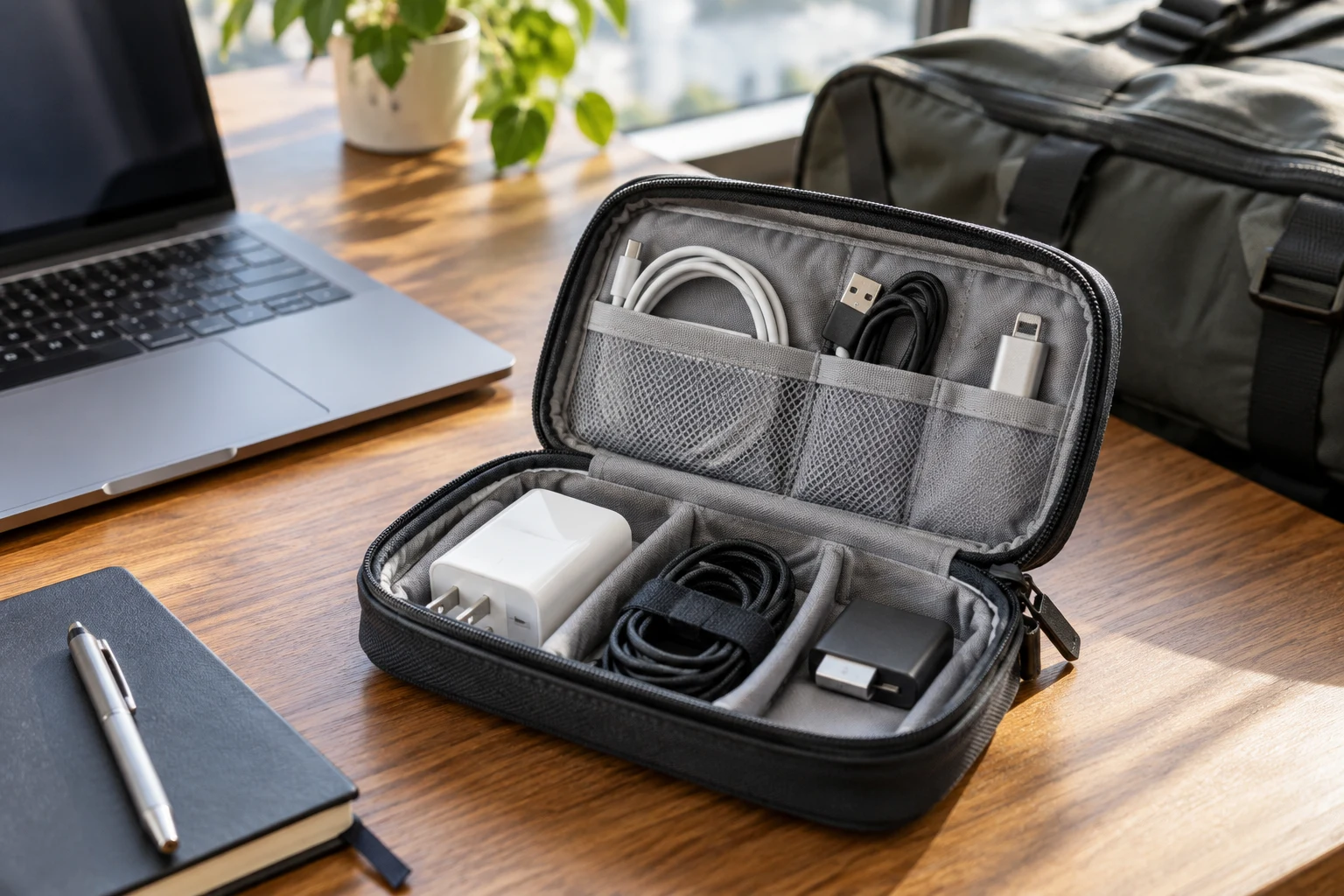
Elastic loops can make small cables visible and prevent them from mixing, but check whether they suit the cable's natural shape and connector size. A loose compartment may be better for a bulky charger, while a small zipped section can hold an adapter that would otherwise disappear. Choose these features for the items you own. A large number of tiny loops is not helpful if most of the kit consists of larger objects.
Opening style also matters. A pouch that lies open can make contents easy to inspect on a desk, but may occupy more space in a cramped location. A compact top opening can be convenient in a bag while making items at the bottom harder to see. Try to picture retrieving one accessory during a busy moment. If doing so requires unfolding the entire organizer, decide whether that arrangement suits the situations in which you normally need it.
Keep chargers and cables from becoming an awkward lump
Arrange heavier or bulkier items so that the pouch closes without forcing other pieces into tight spaces. Follow the equipment's guidance on handling, ventilation, and storage. Do not make a pouch's empty dimensions the reason to pack accessories under pressure or bend a cable sharply around a hard object. A slightly larger or differently divided case may be more useful than the smallest one that can theoretically be zipped shut.
Look at how the loaded pouch sits inside the main bag. A rigid shape may protect the arrangement from shifting but occupy space inflexibly. A softer pouch may adapt around other belongings but allow the contents to bunch together. Neither approach is universally preferable. Choose based on the equipment, the load surrounding it, and how frequently you retrieve individual pieces. The aim is predictable access without strain on closures or connectors.
Separate the daily kit from the travel additions
You may not need the same equipment for a local workday and an extended trip. Rather than carrying every possible accessory all the time, identify the reliable daily core and a small set of trip-specific additions. The core should be easy to inspect. Additions should be deliberate, such as an accessory required by the confirmed destination or meeting setup. Avoid packing a collection of speculative adapters instead of checking what will be needed.
A modular approach can be as simple as a smaller inner pouch or a written checklist. It does not require buying several matching cases. Think about the handoff between home storage and the travel bag: where do the occasional accessories live, and how will you remember to add them? A clearly defined process reduces mistakes more effectively than extra capacity. If the pouch becomes a permanent home for everything, its most important items may become harder to find.
Plan for small items that are easy to lose
Tiny adapters, removable caps, and similar pieces need an intentional location. Check whether a pocket closes securely and whether its contents remain visible enough to identify. An opaque compartment can reduce clutter but may require opening it to check what is there. A visible pocket can simplify inspection, provided it suits the size of the items. The right choice depends on the actual pieces, not a general claim that one pocket material is always better.
Avoid storing unrelated small objects in the same section merely because space remains. A key, receipt, or loose coin can make an equipment pocket harder to inspect and may interfere with the arrangement. Keep an inventory short enough that missing items are obvious. After a trip, return accessories to the same places and remove things that were added temporarily. A pouch stays useful when its organization reflects the kit rather than gradually becoming another miscellaneous drawer.
Compare durability and maintenance practically
Inspect the opening, seams, internal attachments, and any parts you will use repeatedly. Read the product's care instructions and consider how dust or a small spill would be handled. A highly padded design may suit your preferences but take more room and be less straightforward to clean than a simple fabric pouch. Do not infer a particular protection rating or resistance to water from appearance; verify any specific claim for the exact model.
Look at reviews from people carrying similar accessories. A pouch used for a few small cables may receive praise for capacity that does not apply to a large laptop charger. Check the size and version discussed. Repeated reports of an awkward opening or pockets that do not fit common shapes can be useful, but compare them with your own measurements. The practical question is whether the design remains easy to use with the load you intend to carry.
Worked example: a two-device work trip
For a short trip with a laptop and phone, begin by testing the charging equipment and any confirmed display connection using the exact accessories you plan to carry. If a single arrangement serves both devices within their documented requirements, that may simplify the kit; do not assume it does without checking. Keep the frequently used cable visible and the occasional adapter in a defined pocket.
Pack the pouch inside the bag with the actual clothing and work items. At the destination, remove only the piece needed for the first task, then put it back without emptying the case. If this is awkward, change the layout before buying a larger pouch. On return, inspect the inventory and note what was never used or difficult to identify. The most useful kit is one whose contents have a clear purpose and can be checked quickly. Extra pockets do not improve reliability if they simply make room for accessories whose role is uncertain.
Use a departure and return checklist
Before leaving, check the core devices and required accessories against a short list. On return, reconnect the equipment as needed and restore the pouch's normal layout. This exposes missing pieces before the next hurried departure. Keep the checklist focused on the tasks the kit supports: charging the laptop, connecting the display, or using a particular peripheral. A long inventory of objects without a clear purpose can be harder to maintain than a concise task-based check.
After a representative trip, review what was actually used. Remove redundant pieces when doing so does not undermine a known requirement, and investigate any accessory you could not identify. Buy a new pouch only if the existing one cannot support the useful arrangement. Better labels or a smaller kit may solve more than a larger organizer. The best tech pouch makes the equipment understandable, easy to retrieve, and ready to repack without a fresh cable-identification exercise every time you travel.
References
Questions & Answers
Do similar-looking USB-C cables do the same job?
Do not assume that connector shape establishes charging, display or data capability. Check the exact device and accessory documentation for the combination you intend to use, then rehearse that routine before traveling.
Should a tech pouch hold every spare adapter?
Build a daily core around actual tasks and add trip-specific accessories deliberately. Carrying uncertain spares can make the useful kit harder to inspect and retrieve without addressing a confirmed requirement.
How should I choose the pouch’s internal layout?
Lay out the actual charger, cables and adapters first. Compare usable dimensions, openings and compartments, then test the loaded pouch inside your everyday bag rather than choosing by pocket count.